Welcome to PrettyCopy’s documentation!
Welcome to PrettyCopy: a beginner-friendly library intended to ensure clean, format-friendly copy-pasting!



Overview
Everybody copies and pastes text. But sometimes, you want to change something about the text you just copied. Maybe the text has a line break in the middle of every sentence; maybe there’s an extra empty space between every line; maybe you want to change it all into upper case, or add quotes around it, or–
Enter PrettyCopy.
PrettyCopy will help you clean up the text on your clipboard before you paste it. Just copy text, run a PrettyCopy function, and you’ll be able to paste it with corrections already in place!
Installation
If you already have Python, just run:
pip install prettycopy
Usage
So… how do you use PrettyCopy? It’s very simple! You can use PrettyCopy at the command line, or through your own program.
Command Line
Copy a piece of text.
In the command line, type prettycopy [function_name] [any_args] [any_flags].
PrettyCopy will print the (corrected) contents of your clipboard.
When you paste, the text will already be corrected!
Command Line Function
PrettyCopy has a main command-line function: copy. The copy function can potentially take in a wide variety of optional flags, which allows it to use and combine the abilities of the other PrettyCopy functions.
- prettycopy.command_line.copy(text: str = '', output: bool = True, no_gaps: bool = False, no_linebreaks: bool = False, no_bullets: bool = False, quote: bool = False, end_punct: str = '', line_punct: str = '', bullet_punct: str = '', replace: Tuple[str, str] = (None, None), remove: str = '', case: str = '')
Alter the contents of a copied text in the clipboard.
The input comes from either an argument or (by default) the clipboard.
- Args:
–text “YOUR_STRING”: Use a given text instead of the clipboard contents.
–no-output: Prevents the result from being printed to the command line.
–no-gaps: Removes any blank lines.
–no-linebreaks: Removes all line breaks from the text.
–no-bullets: Removes line breaks, and replaces bullet points with line breaks.
–quote: Adds quotation marks to the beginning and end of the text.
–end-punct “PUNCTUATION_MARK”: Adds a given punctuation mark to the end of the text. If the text is surrounded by quotation marks (’ or “), the punctuation mark goes on the inside. Often combined with –quote.
–line-punct “PUNCTUATION_MARK”: Replaces all line breaks with a given punctuation mark.
–bullet-punct “PUNCTUATION_MARK”: Replaces all bullet points with a given punctuation mark.
–replace “TO_BE_REPLACED” “TO_REPLACE”: Replaces all instances of the first substring with the second.
–remove “SUBSTRING”: Removes all instances of the given substring.
–case [“lower”/”upper”/”title”/”capital”]: Changes the text’s case to lowercase; uppercase; title case; or capitalizes the first letter of every sentence.
- Returns:
str: Corrected text.
- Warning:
Changes contents of the clipboard.
Other Functions
All functions have some optional flags.
--no-output will prevent PrettyCopy from copying your clipboard contents to the terminal. (Useful for long inputs.)
--text "your_text_here" allows you to use a command-line string (to the right of the flag, encased in quotation marks) instead of your current clipboard contents. Note that your clipboard contents will still be replaced!
Help
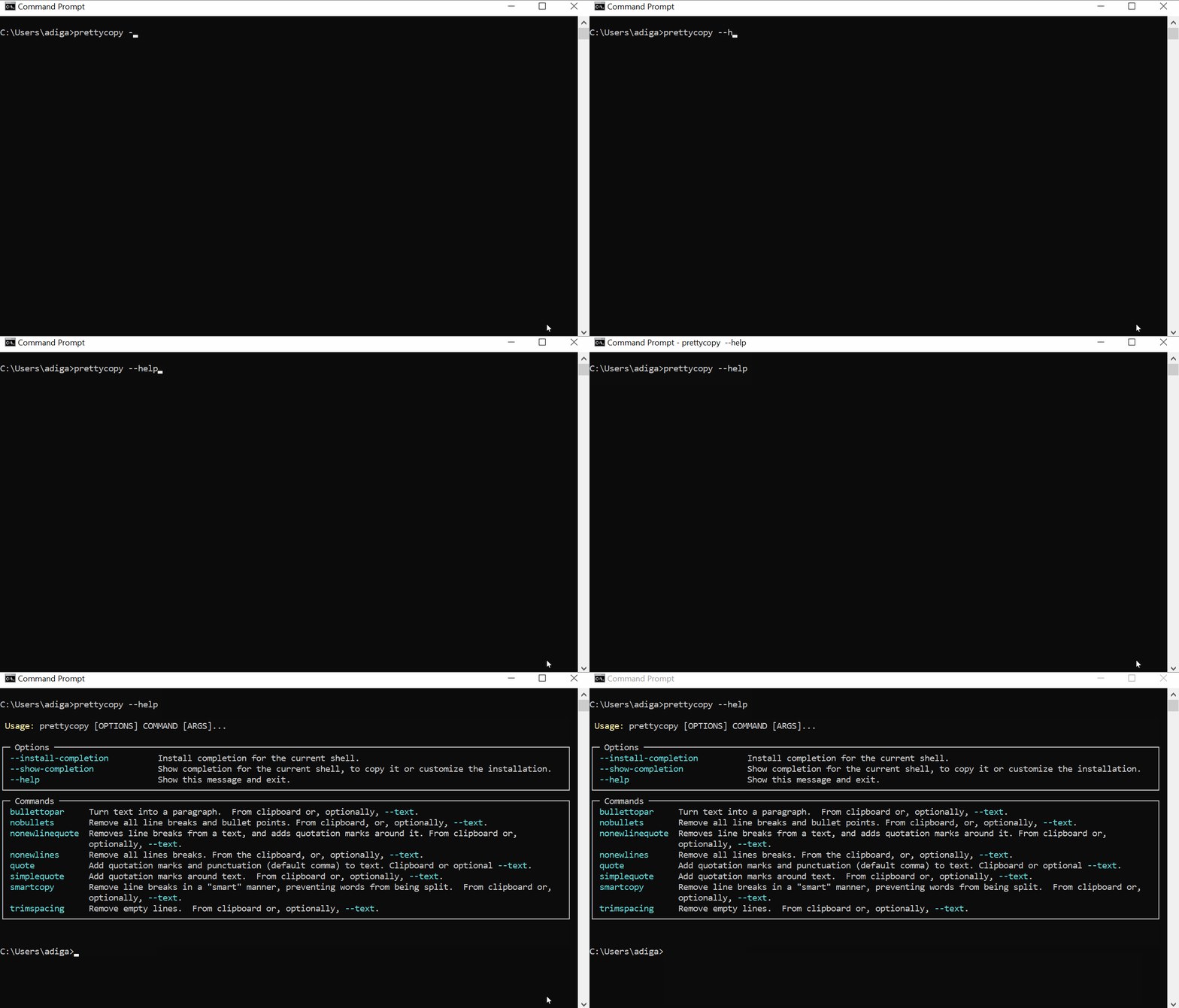
Confused? Type prettycopy --help to get a list of possible functions, and prettycopy [function_name] --help to get help for any particular function.
In a Program
Each PrettyCopy function takes in a string, corrects it, and copies the corrected text to your clipboard. It will also return the corrected text as a return value, in case you want to keep using it (for example, in a nested function).
By default, PrettyCopy will run on the text in your clipboard. If you want to correct a different text, enter your preferred text as an argument.
Functions
Smart Copy-and-Paste
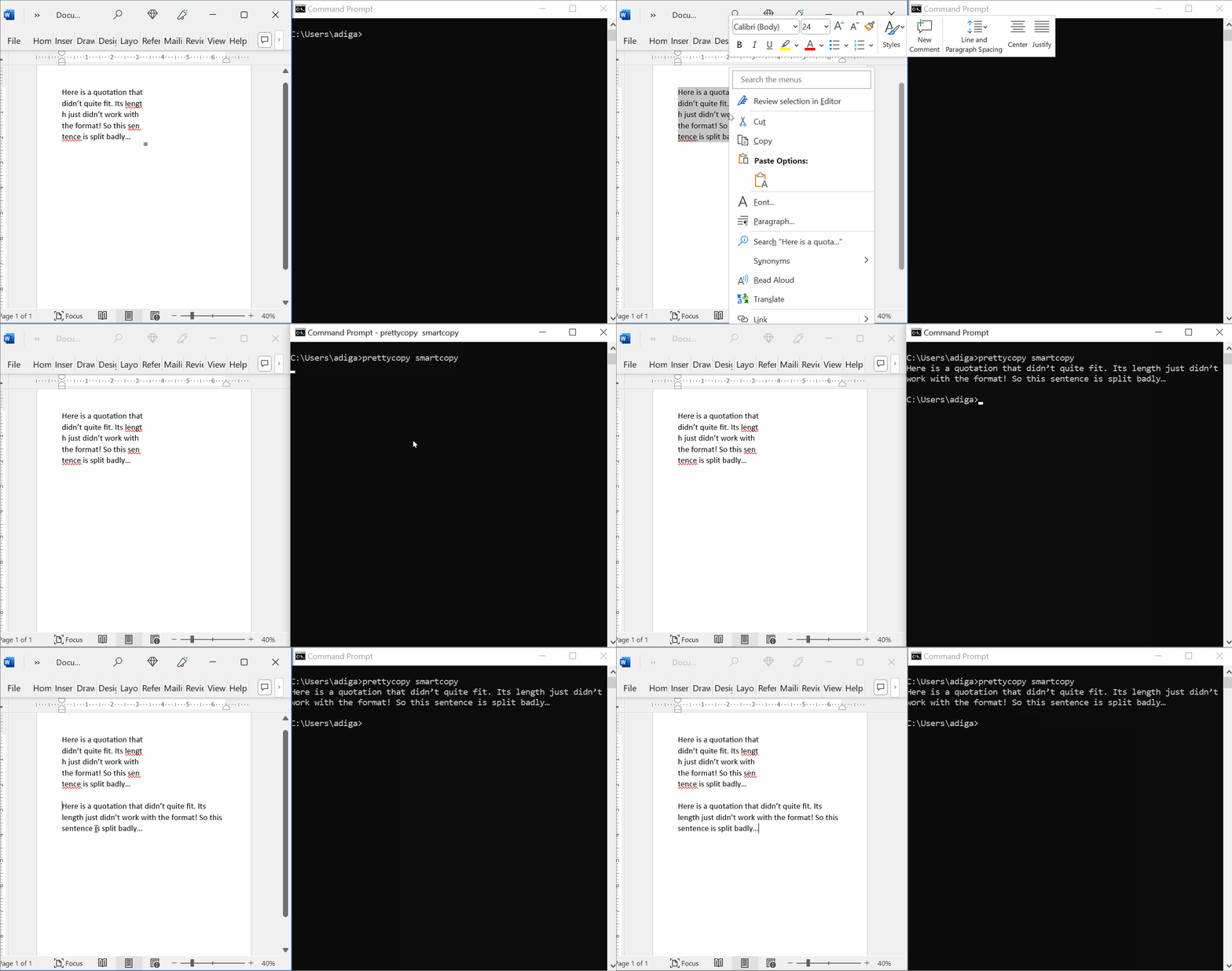
When copying and pasting between formats, line breaks can appear between, or even within, ordinary words. The smartcopy function can for the most part distinguish between them, allowing your copy-and-paste experience to be as smooth as possible.
- prettycopy.smartcopy(text=None)
Removes line breaks from clipboard contents in a smart way.
Removes line breaks from a text. Adds a space if a line break is between words or after punctuation, but not if the line break splits a word in two (with or without an intemediary dash.) Recopies to the clipboard. Input comes from either an argument or (by default) the clipboard.
- Args:
text (str): Any text; optional, default None.
- Returns:
str: Corrected text.
- Warning:
Changes contents of the clipboard.
EXAMPLES:
import prettycopy
# If you have copied the text:
    # Example sen
    # tence goes
    # here.
prettycopy.smartcopy()
# your clipboard content becomes:
    # Example sentence goes here.
Bullet-Point Cleaning
Sometimes you want to copy a piece of text with bullet points. This doesn’t always work the way you’d like it to.
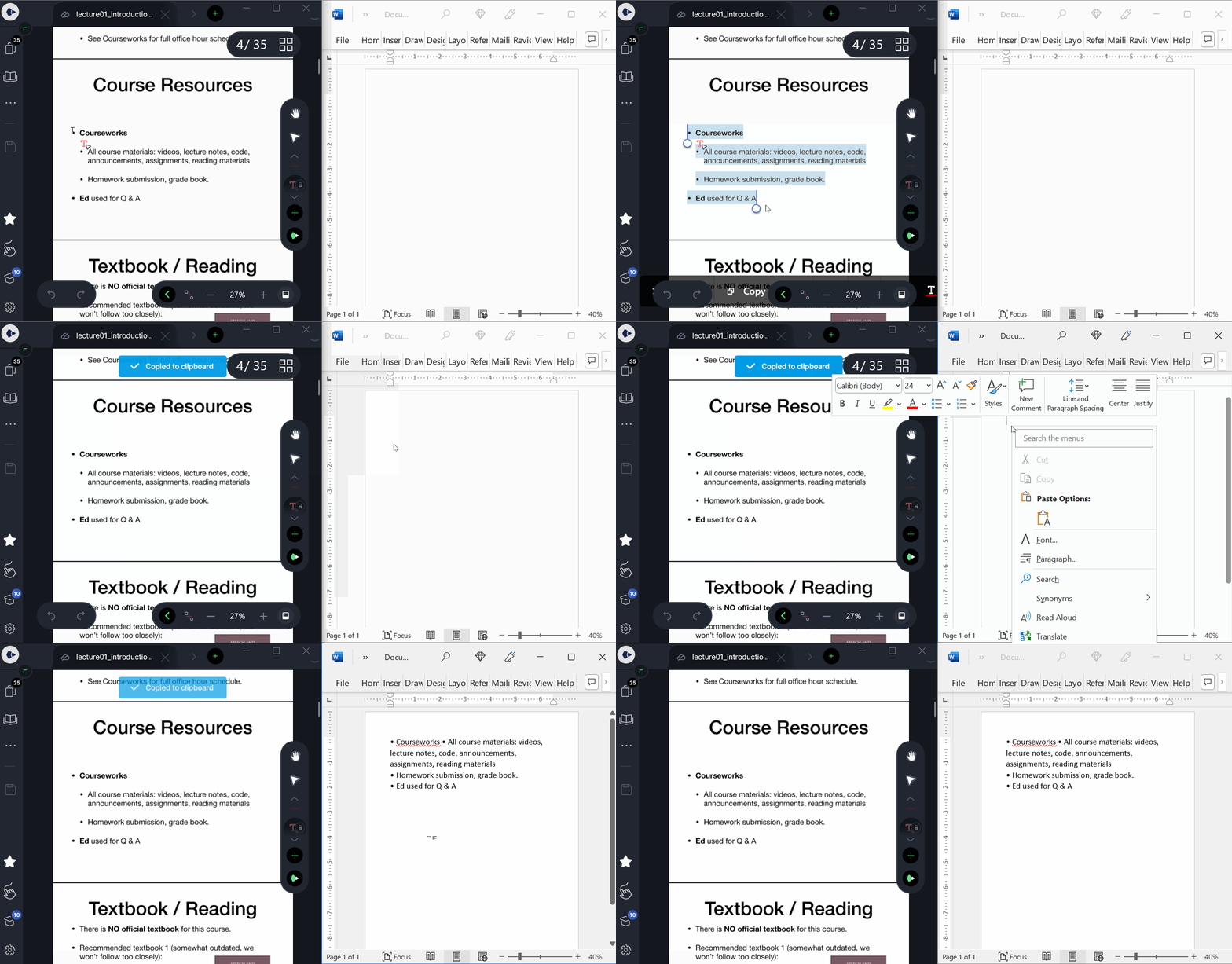
Using PrettyCopy, you can turn the text into a clean list, or into a single paragraph.
- prettycopy.bullettolist(text=None)
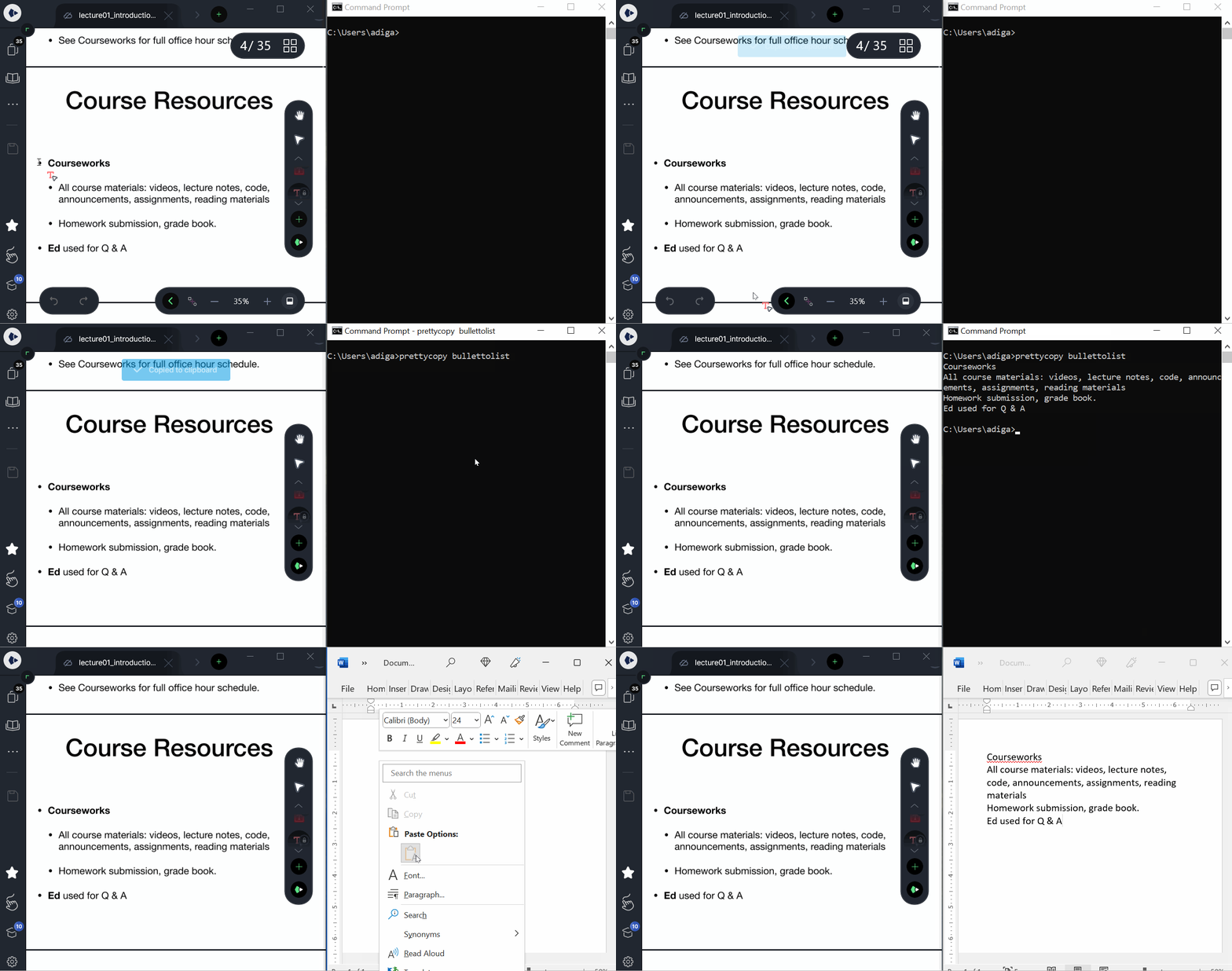
Take out old line breaks. Replace bullets with line breaks.
Removes newline symbols from a text, replacing bullet symbols with line breaks. Recopies to the clipboard. Input comes from either an argument or (by default) the clipboard.
- Args:
text (str): Any text; optional, default None.
- Returns:
str: Corrected text.
- Warning:
Changes contents of the clipboard.
EXAMPLES:
import prettycopy
# If you have copied the text:
    # • Example
    # • text
    # • here
prettycopy.bullettolist()
# your clipboard content becomes:
    # Example
    # text
    # here
- prettycopy.bullettopar(text=None)
Remove newlines, replace bullets with spaces
Removes all newlines from a text, replacing any bullet symbols with a space. Recopies to the clipboard. Input comes from either an argument or (by default) the clipboard.
- Args:
text (str): Any text; optional, default None.
- Returns:
str: Corrected text.
- Warning:
Changes contents of the clipboard.
EXAMPLES:
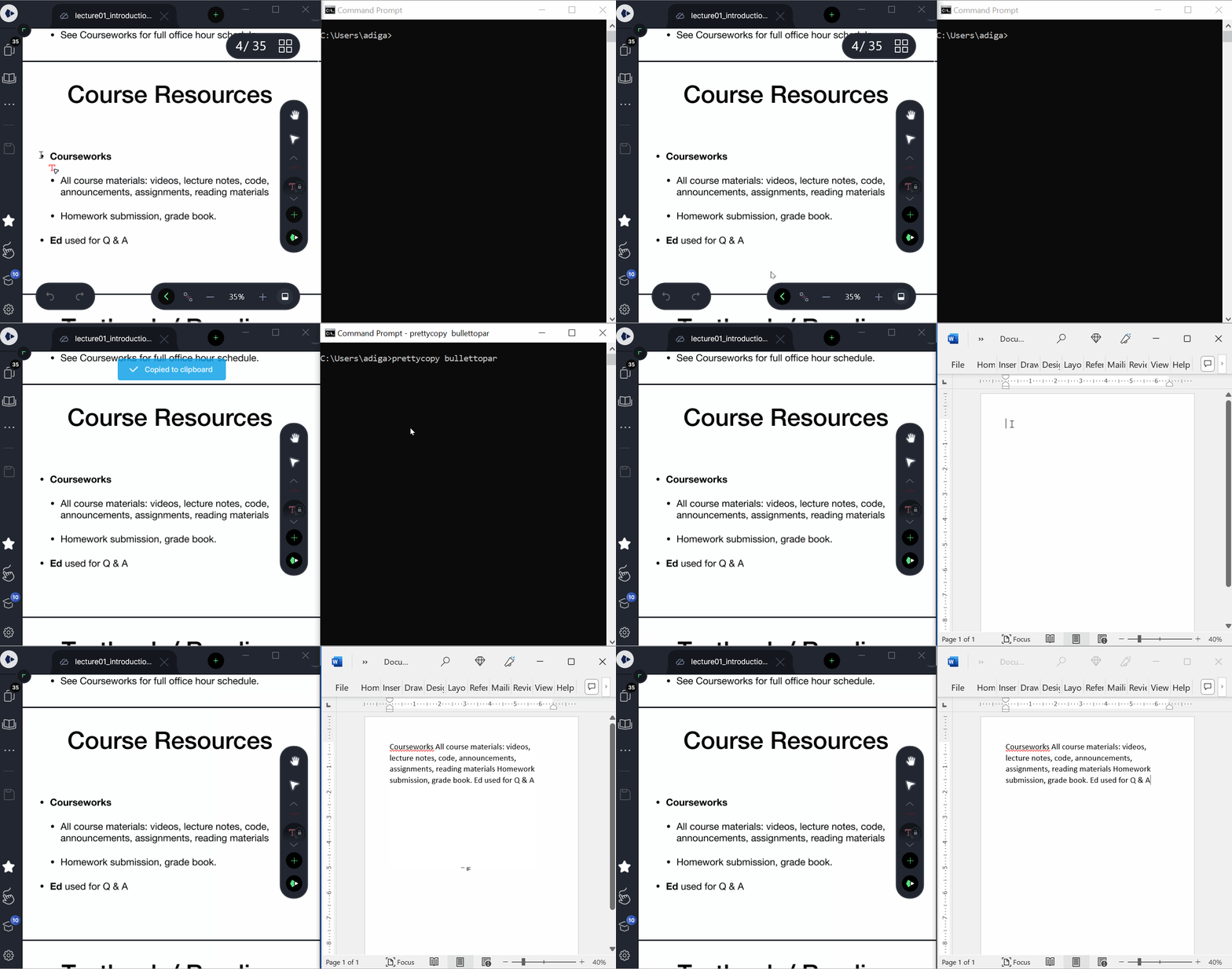
import prettycopy
# If you have copied the text:
    # • Example
    # • text
    # • here
prettycopy.bullettopar()
# your clipboard content becomes:
    # Example text here
Line Break Cleaning
Line breaks also don’t always copy over right.
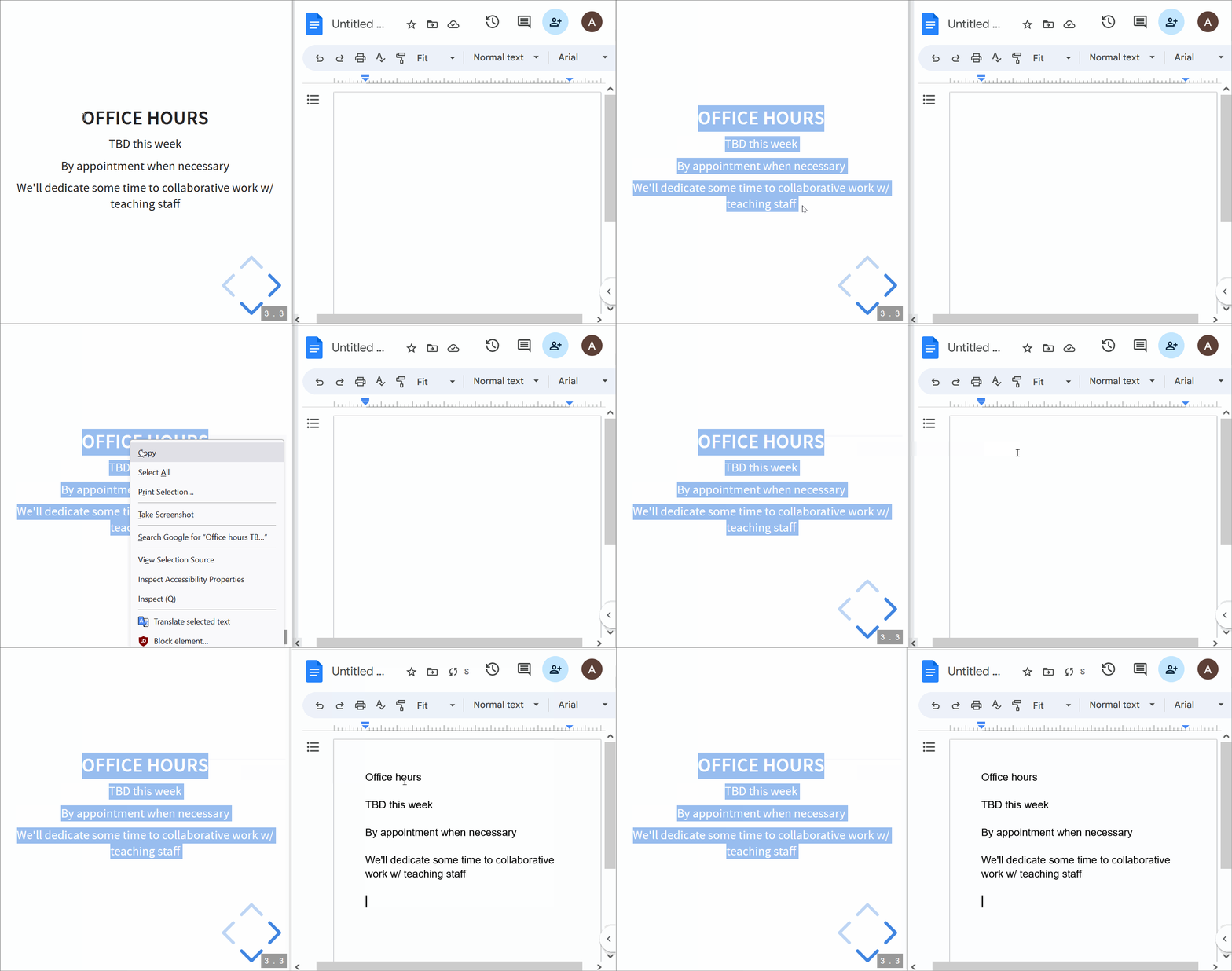
PrettyCopy has functions to fix that!
- prettycopy.nonewlines(text=None)
Remove all line breaks.
Removes line breaks from a text and recopies to the clipboard. Input comes from either an argument or (by default) the clipboard.
- Args:
text (str): Any text; optional, default None.
- Returns:
str: Corrected text.
- Warning:
Changes contents of the clipboard.
EXAMPLES:
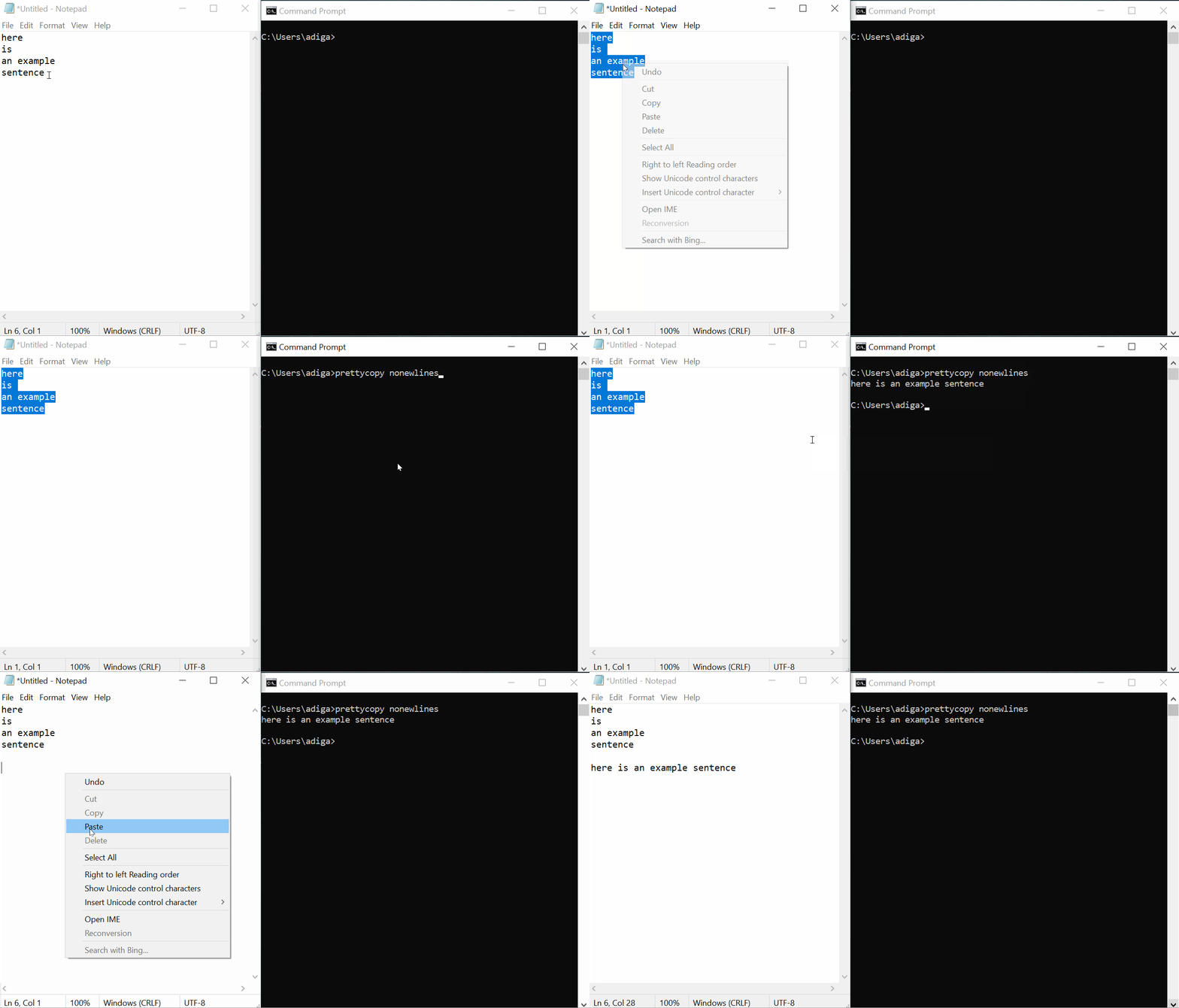
import prettycopy
# If you have copied the text:
    # Example
    # text
    # here
prettycopy.nonewlines()
# your clipboard content becomes:
    # Example text here
- prettycopy.trimspacing(text=None)
Removes empty lines clipboard contents.
Removes empty lines from a text. Recopies to the clipboard. Input comes from either an argument or (by default) the clipboard.
- Args:
text (str): Any text; optional, default None.
- Returns:
str: Corrected text.
- Warning:
Changes contents of the clipboard.
EXAMPLES:
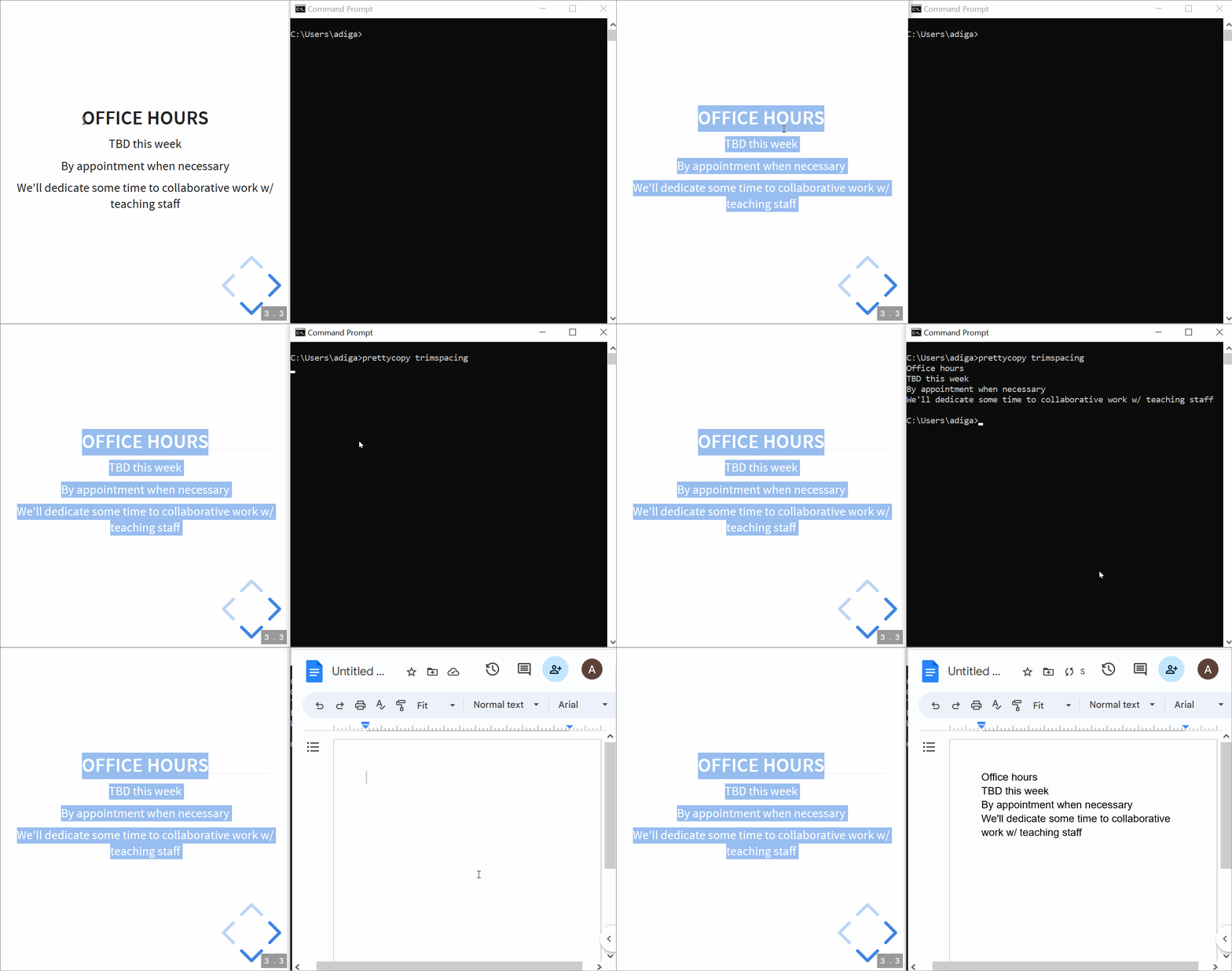
import prettycopy
# If you have copied the text:
    # Example
    #
    # text
    #
    # here
prettycopy.trimspacing()
# your clipboard content becomes:
    # Example
    # text
    # here
Copying Quotes
Ever wanted to copy a quote from a document?
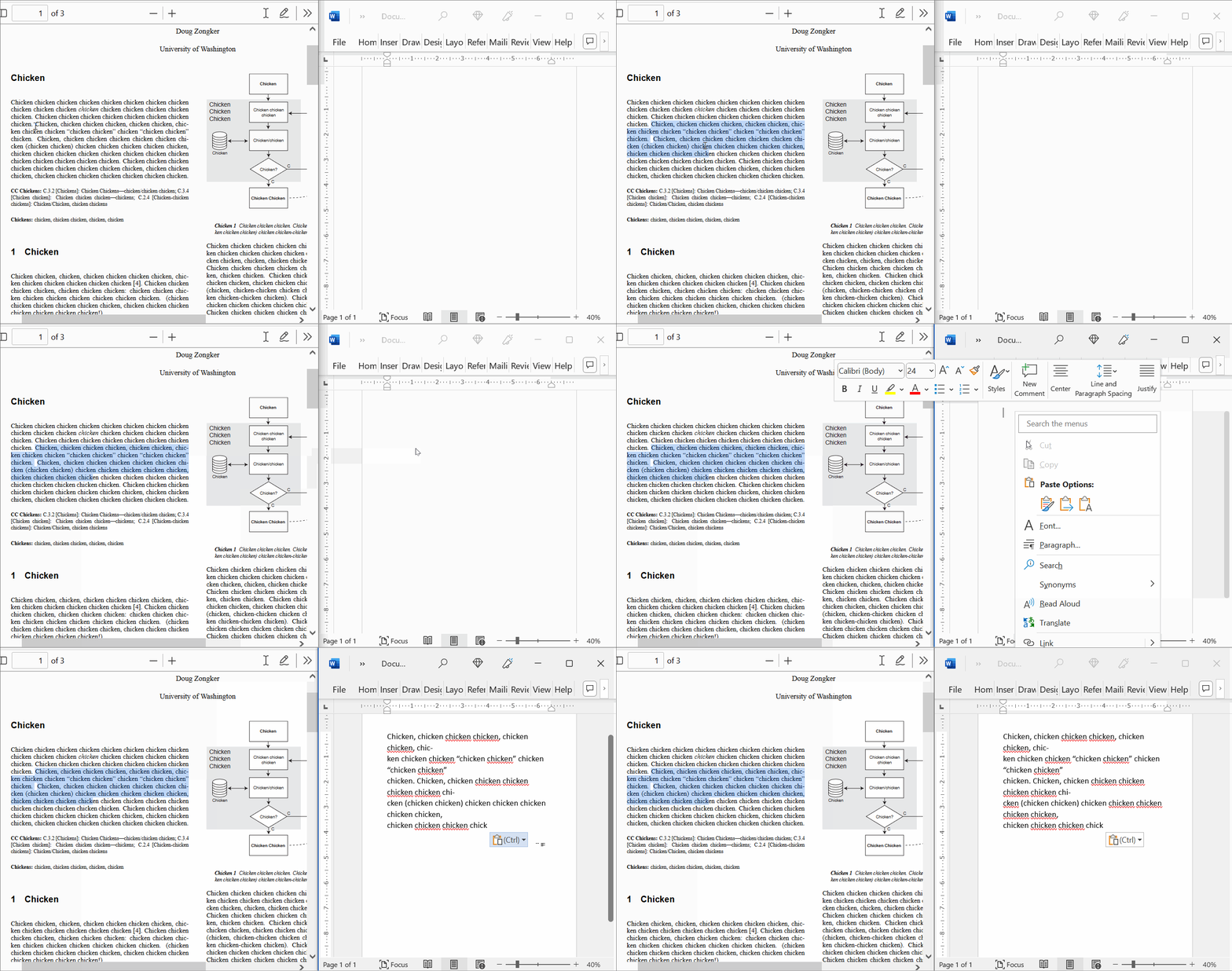
PrettyCopy can help!
- prettycopy.simplequote(text=None)
Add quotes around clipboard contents.
Adds quotation marks around a cleaned (via smartcopy()) text input. Recopies to the clipboard. Input comes from either an argument or (by default) the clipboard.
- Args:
text (str): Any text; optional, default None.
- Returns:
str: Corrected text.
- Warning:
Changes contents of the clipboard.
EXAMPLES:
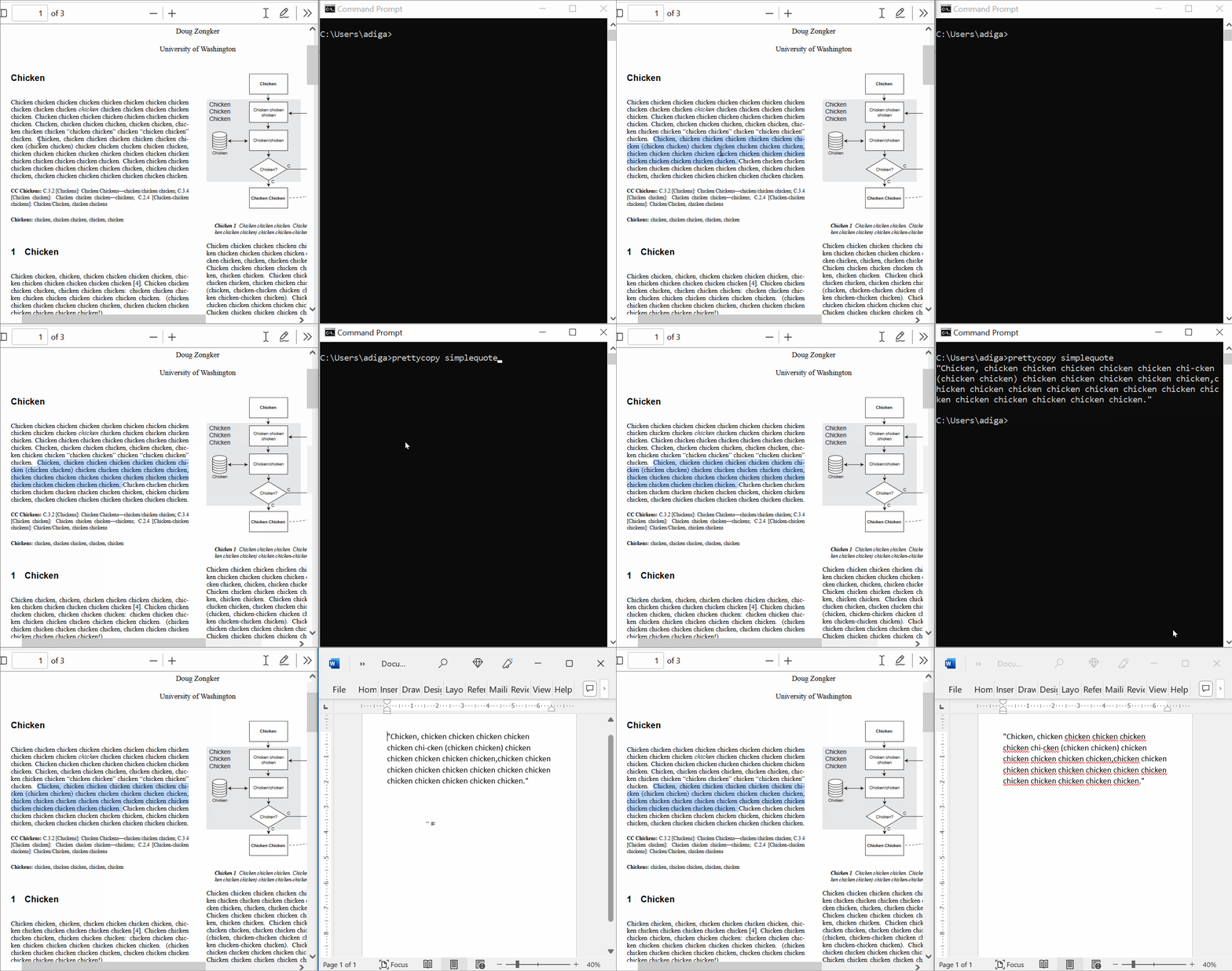
import prettycopy
# If you have copied the text:
    # Example text here
prettycopy.simplequote()
# your clipboard content becomes:
    # "Example text here"
- prettycopy.quote(end_punctuation=None, text=None)
Add quotes (and optional punctuation) around clipboard contents.
Adds quotation marks and end punctuation to a cleaned (via smartcopy()) text. Recopies to the clipboard. Input comes from either an argument or (by default) the clipboard.
- Args:
end_punctuation (str): A single-character string containing one of: [.,!?] text (str): Any text; optional, default None.
- Returns:
str: Corrected text.
- Warning:
Changes contents of the clipboard.
EXAMPLES:
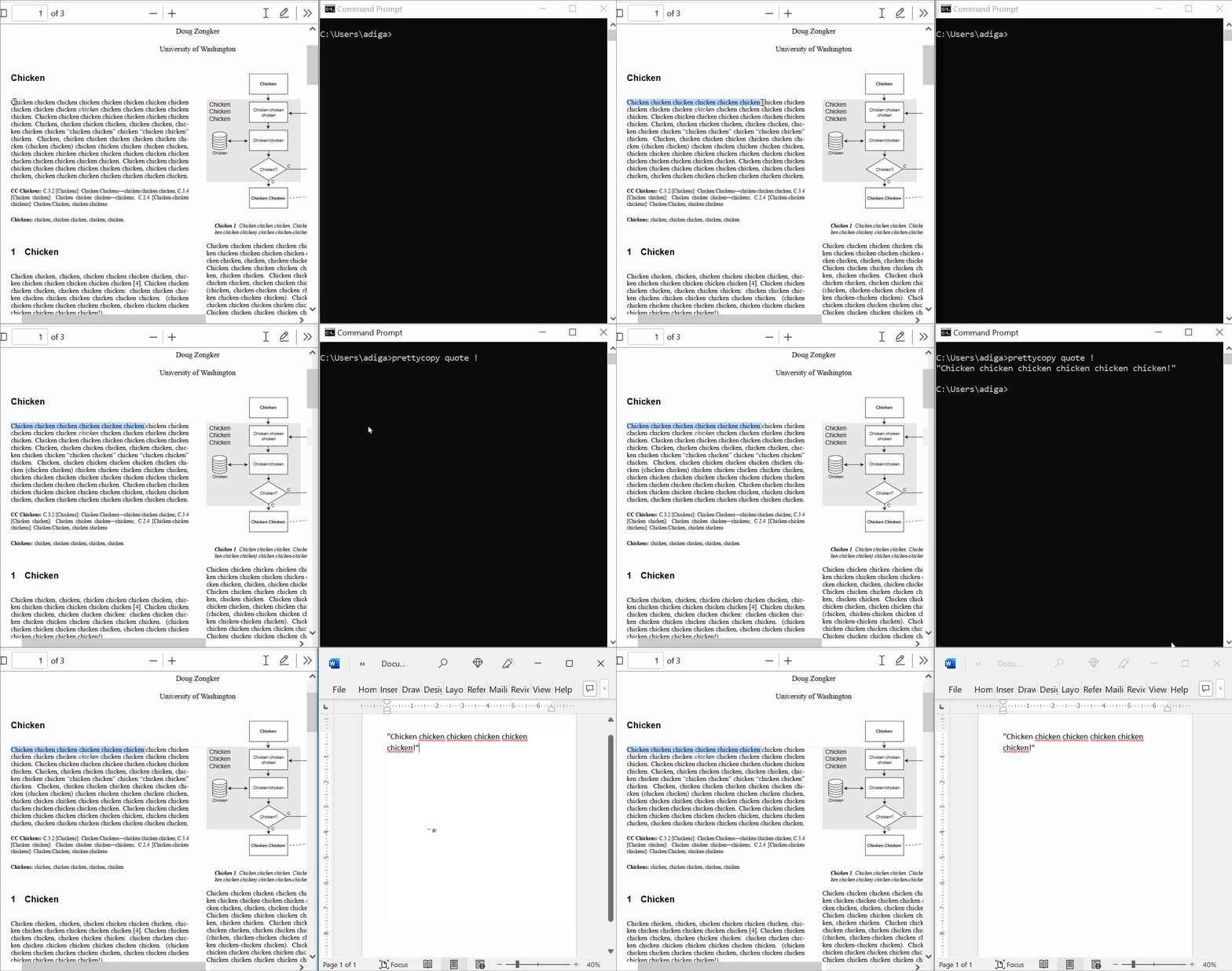
import prettycopy
# If you have copied the text:
    # Example text here
prettycopy.quote()
# your clipboard content becomes:
    # "Example text here,"

# If you copy the same text:
    # Example text here
prettycopy.quote('!')
# your clipboard content becomes:
    # "Example text here!"
Miscellaneous
There are other ways that you might want to edit the text that you copied before pasting it. PrettyCopy can help you here, too!
- prettycopy.remove(substring, replacement=None, text=None)
Remove a substring (and optionally replace it) from clipboard contents.
Removes a substring from a text, optionally replacing it with another substring. Recopies to the clipboard. Input comes from either an argument or (by default) the clipboard.
- Args:
substring (str): A string to be removed or replaced. text (str): Any text; optional, default None.
- Returns:
str: Corrected text.
- Warning:
Changes contents of the clipboard.
EXAMPLES:
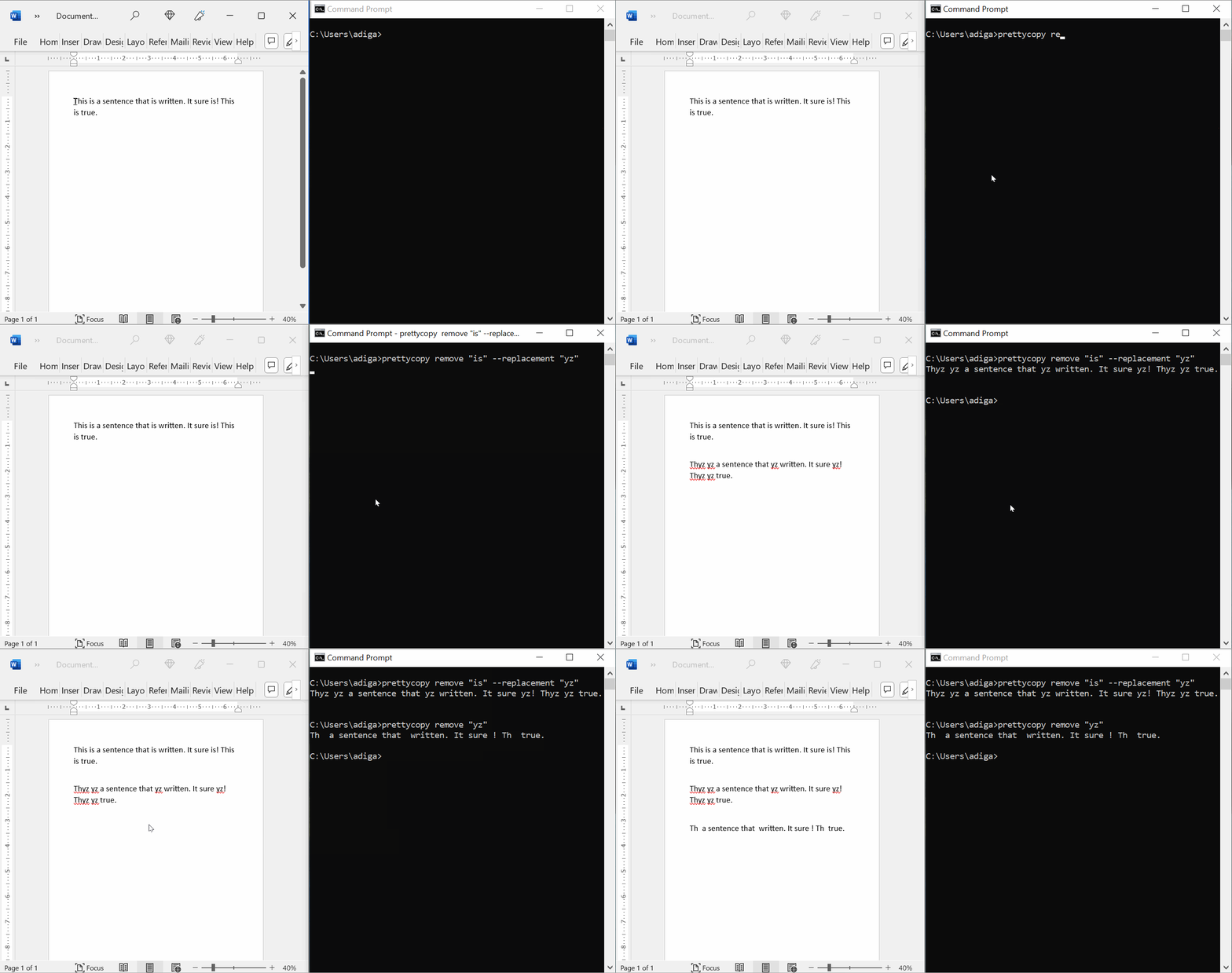
import prettycopy
# If you have copied the text:
    # Example text here
prettycopy.remove('ex')
# your clipboard content becomes:
    # Example tt here
Integrations
(Note: this function is still under development! Do not use it. It will not work.)
- prettycopy.betterbullets(docID)
Add clipboard content to end of Google Doc as a bulleted list.
Takes text from the clipboard. Removes all newlines and replaces bullet symbols with newlines. Copies the text to the end of a Google Doc as a bulleted list.
- Args:
docID (str): The ID of a Google Doc.
- Returns:
str: Corrected text.
For developers
Any interested developers, please head to Intro for Developers.